




Whatever your household looks like, we’ve got a plan to suit you. In addition to our 2-person and 4-person plans, we’ve now expanded our options to include 1-person, 3-person, 5-person and 6-person plans, too – making it even easier to find the subscription that’s just right for everyone around your table.
How to Update Your Plan
New to Marley Spoon?
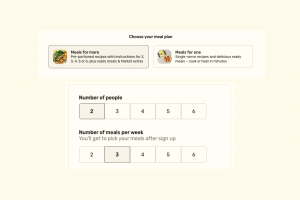
When setting up your account, simply pick the plan that best matches your needs – the ‘Meals for one’ plan, or the ‘Meals for more’ plan and choose 2, 3, 4, 5, or 6 people as preferred. Then, select how many recipes you’d like delivered each week.
For existing Marley Spoon customers
It’s so easy to change your plan in your account.
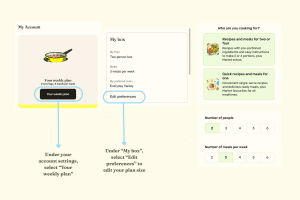
- Log into your account on our website or open the Marley Spoon app.
- Head to Account Settings > Your weekly plan > Edit preferences
- Switch to the ‘Meals for one’ plan, or if you’re staying on the ‘Meals for more’ plan then adjust the ‘Number of people’ as preferred. After any change, click ‘Save changes’. Your new plan will apply to all your orders moving forward.